It would be great if we could attach a note to a particular order/transaction in addition to being able to attach notes to customers. We've found this really useful in previous systems.
Date
Votes
2 comments
-

Hope Biber Official comment Hi Kirsten!
We do have the capability to add order notes in AMS. When in the AMS screen, on the bottom left of the application you will see the order number, the item count, and the subtotal. You will also see the Info bubble icon.
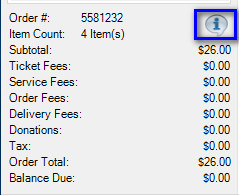
When you click this icon, you can enter your information about this order.
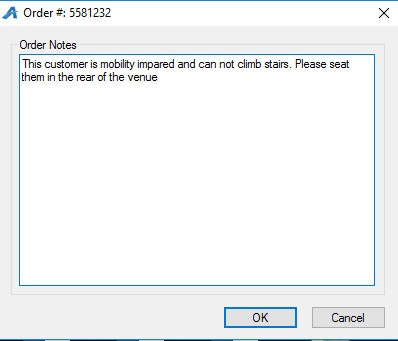
Once you have saved the notes, you will see that the Info Bubble changes from Blue to Red.
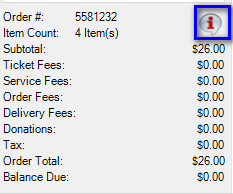
Order notes can be added during the process of the sale or you can also go back to an existing order through Maintenance and add notes to an order at a later time.
There are a couple of reports that can be pulled to get the order notes.
Will Call List
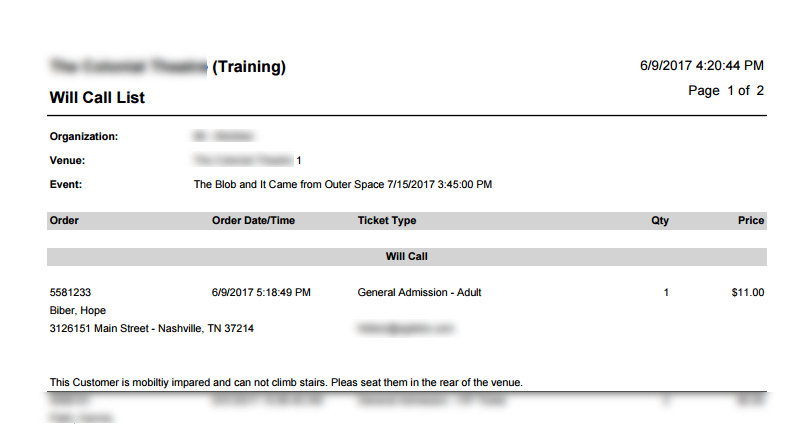
Event Guest List
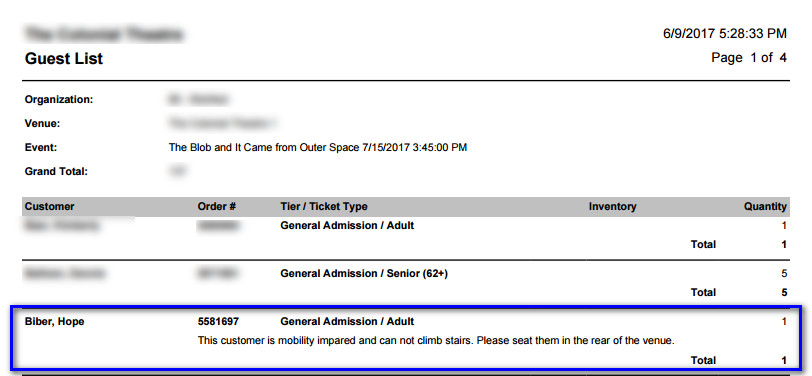
I hope this helps. Let us know if you need more information.
-

Kirsten Van Vlandren That's great to know - thank you!
Please sign in to leave a comment.